What AirOps does
Dashboard
Critical Events
Critical Events

A live view of the operation: passes scanned, bag tags printed, sessions, session time against your goal, today's alerts and fleet status. Build separate views for operations, business analysis or airline transaction checks, and use Monitor Mode to put any of them on a wall display.
Critical Events
Critical Events
Critical Events
AirOps lists only the events that need attention, such as a kiosk going offline or out of service, with the time, location and device. Your team knows straight away which unit needs a visit, before passengers find it.
Fleet
Critical Events
Insights
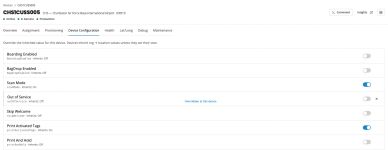
Every kiosk and bag drop in one list, grouped by airport, with its status, model and a health score from a weighted rubric you can adjust. Open any device to see its configuration, health and debug logs, or send it a command such as a reboot.
Insights
Insights
Search every event by date, event code, location, airline and device, and open the passenger session behind it. Trends, comparisons and heatmaps show usage over time, data can stream to your BI tools, and AI-assisted reporting builds grouped reports from a plain-language prompt.
Notifications
Choose the events that matter to your team and send alerts by push notification, text message or email, or raise them straight into your ITSM tool, including ServiceNow.
Maintenance
Define each device's components and maintenance rules, and AirOps raises tasks automatically when a fault occurs. Technicians work the same queue from the AirOps mobile app: they scan a kiosk, check its health and printer media, and send commands from the floor.
Automation Studio
Automation Studio

A no-code builder for operational workflows. Start a workflow from a device event, a schedule or a webhook, then send a report or alert, command a device, call another system over HTTP, or stream data to Azure Event Hub.
App Studio
Automation Studio
Build and manage the kiosk application itself: its pages, passenger route flow, content, media, languages, configuration and versions. QR Payment adds a hosted payment page for ancillary fees.
Admin
Admin
Each airline and airport is its own organization in AirOps. Access groups set what each user can see and do, by module, airport and airline, and map to Azure AD for single sign-on. Features such as bag drop, scan mode and tag printing switch on or off for the whole organization, an airport or a single kiosk.